How to generate QR Code and sign document using Java Leave feedback
On this page
The generated QR Code can be downloaded and used to add to the business contracts and official documents. Any QR Code contains unique textual information that confirms the identity of the signer or authorizes the business document. QR Code verification could be performed automatically by reading the contents of the QR Code embedded data. These signatures could be scanned automatically. The QR Code allows keeping over 2 Kilobytes of data.
GroupDocs.Signature for Java provides API for signing a wide range of document formats. Moreover, API includes special abilities for additional document content processing. Supported formats are PDF, Microsoft Word, Microsoft PowerPoint, Microsoft Excel, PNG, JPEG, and many others.
Use the downloads section to obtain the API JAR, or add the com.groupdocs:groupdocs-signature dependency from the GroupDocs Artifact Repository to your Maven project as described in Installation:
<dependency>
    <groupId>com.groupdocs</groupId>
    <artifactId>groupdocs-signature</artifactId>
    <version>26.10</version>
</dependency>
Sometimes it is needed to inform coworkers about business events. In such cases, an Event QR code can provide all the required information in a very effective way. This topic describes how to sign a PDF document with the generated Event QR code.
- Instantiate the Signature class providing the path to the source document or document stream.
- Set event data in the Event object instance.
- Create the QrCodeSignOptions object and set up all demanded fields.
- Invoke the
signmethod to process the document, providing output file path and sign options.
// instantiating the signature object
Signature signature = new Signature("source.pdf");
try {
    // provide event data
    Event eventQr = new Event();
    eventQr.setTitle("Meeting");
    eventQr.setDescription("Productivity issues");
    eventQr.setLocation("room 408");
    eventQr.setStartDate(new GregorianCalendar(2022, 5, 19, 15, 30, 0).getTime());
    eventQr.setEndDate(new GregorianCalendar(2022, 5, 19, 17, 0, 0).getTime());

    // setup QR code signature options
    QrCodeSignOptions signOptions = new QrCodeSignOptions();
    signOptions.setHorizontalAlignment(HorizontalAlignment.Right);
    signOptions.setVerticalAlignment(VerticalAlignment.Bottom);
    signOptions.setEncodeType(QrCodeTypes.QR);
    signOptions.setData(eventQr);

    // sign document
    signature.sign("signed_event.pdf", signOptions);
} finally {
    signature.dispose();
}
GregorianCalendar counts months from zero, so 5 is June.
The result of signing a document may look like the picture below. Such QR codes can be very useful for organizing events.
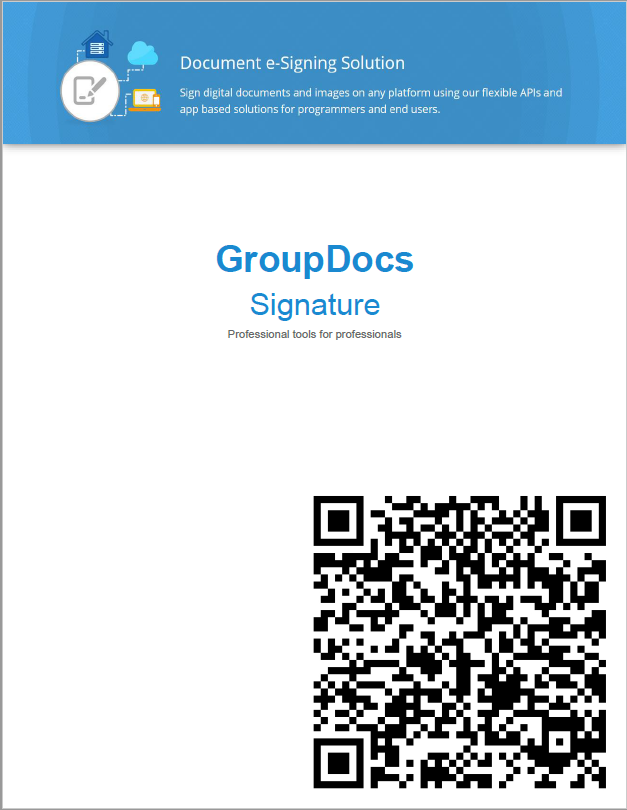
To try signing documents with QR codes for free, you may use the QR Code Generator Online App.
Another way to improve documents is to generate the QR code first and then add it to documents using third-party tools. For this case, it is possible to generate code as an image.
- Create the QrCodeSignOptions instance and set up all demanded fields.
- Instantiate the PreviewSignatureOptions object, passing a
PageSignatureStreamFactoryimplementation that creates and releases the output stream. - Invoke the static
Signature.generateSignaturePreviewmethod to write the QR code image to the stream. - Use the resultant QR Code image in any possible way.
final ByteArrayOutputStream result = new ByteArrayOutputStream();

// setup QR code signature options
QrCodeSignOptions signOptions = new QrCodeSignOptions();
signOptions.setEncodeType(QrCodeTypes.QR);
signOptions.setText("Case 148.01");

// instantiate preview options
PreviewSignatureOptions previewOptions = new PreviewSignatureOptions(signOptions,
        new PageSignatureStreamFactory() {
            @Override
            public OutputStream createSignatureStream(PreviewSignatureOptions options) {
                return result;
            }

            @Override
            public void closeSignatureStream(PreviewSignatureOptions options, OutputStream signatureStream) {
                // the stream stays open: the image is read from it below
            }
        });
previewOptions.setPreviewFormat(PreviewFormats.PNG);

// generate image to stream
Signature.generateSignaturePreview(previewOptions);

// use the image, for example save it to a file
Files.write(Paths.get("qrcode.png"), result.toByteArray());
An image with the generated QR Code may look as below:

To use the API without evaluation limitations, you can get a free temporary license.
To sum up, some useful ways of processing documents with QR codes were discussed in this article. Using GroupDocs.Signature in Java applications greatly improves the productivity of such actions. In addition, you can use the QR Code Generator Online App to generate QR codes and/or sign your files with QR codes for free.
Read the documentation to learn how to use GroupDocs.Signature in your Java applications. Also, you may discuss any questions or issues at the GroupDocs forum.
- How to sign documents with barcodes using Java
- How to sign Excel spreadsheets and their macros using Java
Was this page helpful?
Any additional feedback you'd like to share with us?
Please tell us how we can improve this page.
Thank you for your feedback!
We value your opinion. Your feedback will help us improve our documentation.


