How to Run Examples Leave feedback
- Open Visual Studio and go to File -> New -> Project.
- Select appropriate project type - Console App, ASP.NET Web Application etc.
- Install GroupDocs.Search for .NET from Nuget or official GroupDocs website following this guide.
- Code your first application with GroupDocs.Search for .NET like this:
C#
string indexFolder = @"c:\MyIndex\";
string documentsFolder = @"c:\MyDocuments\"; // NOTE: Put here actual path for your documents
string query = "Einstein";

Index index = new Index(indexFolder); // Creating an index in the specified folder or opening an existing one
index.Add(documentsFolder); // Indexing documents from the specified folder

SearchResult result = index.Search(query); // Searching in index
foreach (FoundDocument document in result)
{
    Console.WriteLine(document.DocumentInfo.FilePath);
}
- Build and Run your project.
- List of found documents will appear in the console.
The complete examples package of GroupDocs.Search is hosted on GitHub. You can either download the ZIP file from here or clone the repository using your favorite Git client.
In case you download the ZIP file, extract the folders on your local disk. The extracted files and folders will look like following image:
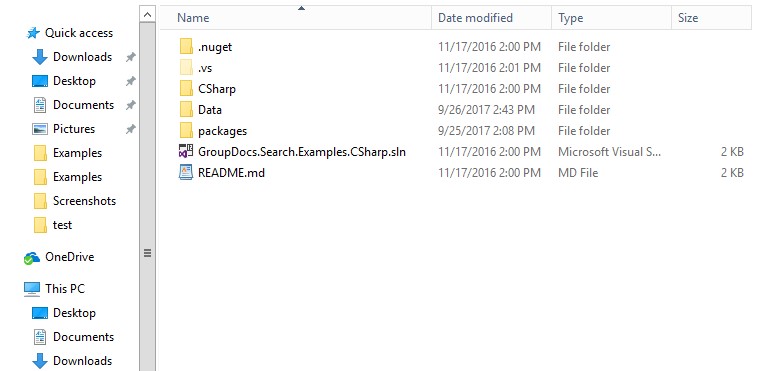
In extracted files and folders, you can find the following solution file:
- CSharp solution file
Open the solution in a version of Visual Studio that supports the target framework of the examples project (see System requirements). The Data folder contains all the sample document files used in the examples.
To run the examples, open the solution file in Visual Studio and build the project. To add missing references for GroupDocs.Search see Installation. All the functions are called from Program.cs. Un-comment the function you want to run and comment the rest.
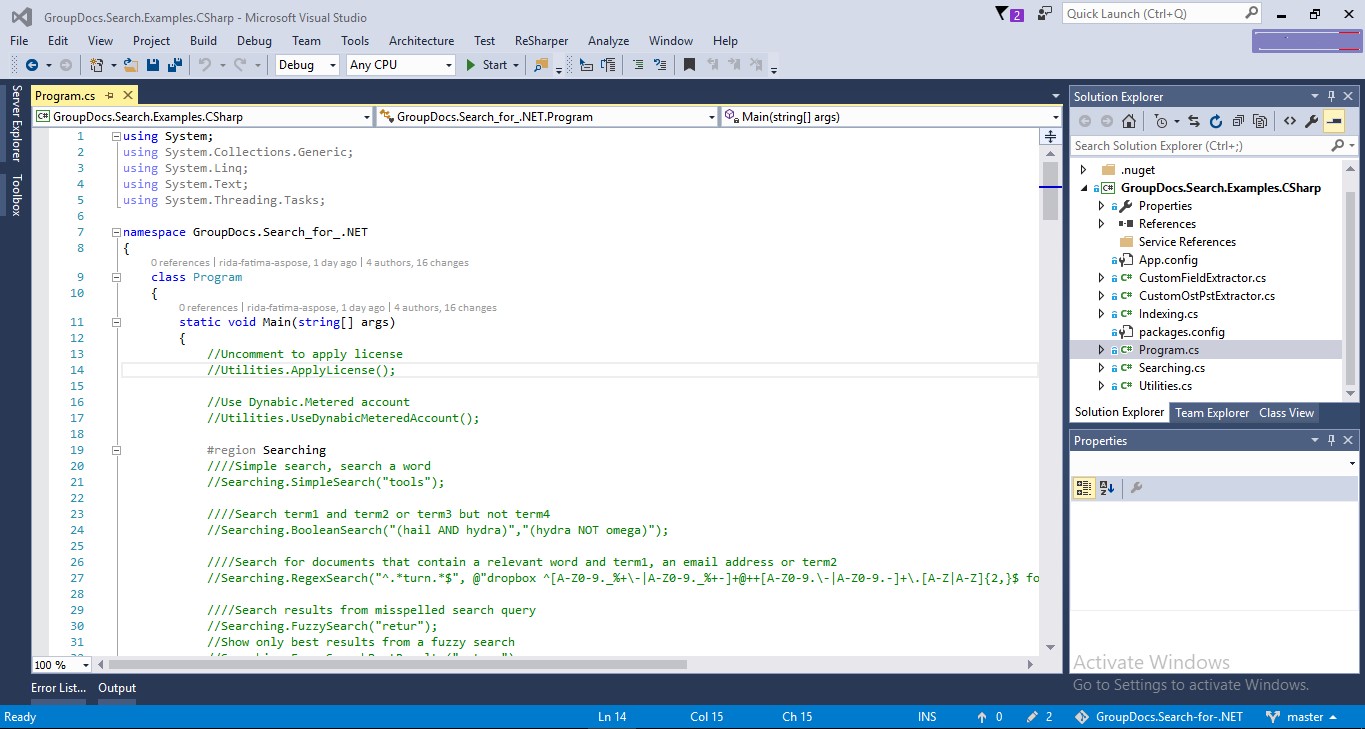
If you would like to add or improve an example, we encourage you to contribute to the project. All examples in this repository are open source and can be freely used in your own applications.
To contribute, you can fork the repository, edit the code and create a pull request. We will review the changes and include it in the repository if found helpful.
Was this page helpful?
Any additional feedback you'd like to share with us?
Please tell us how we can improve this page.
Thank you for your feedback!
We value your opinion. Your feedback will help us improve our documentation.


