Markdown Leave feedback
On this page
The following example shows how to extract Markdown formatted text:
const groupdocs = require('@groupdocs/groupdocs.parser');

// Create an instance of Parser class
const parser = new groupdocs.Parser('sample.docx');
try {
  // Extract a formatted text into the reader
  const reader = parser.getFormattedText(new groupdocs.FormattedTextOptions(groupdocs.FormattedTextMode.Markdown));
  // If formatted text extraction isn't supported, a reader is null
  if (reader == null) {
    console.log("Formatted text extraction isn't supported");
  } else {
    try {
      // Print a formatted text from the document
      console.log(reader.readToEnd());
    } finally {
      reader.close();
    }
  }
} finally {
  parser.close();
}
process.exit(0);
The API supports the following formatting:
- Bold text
- Italic text
- Hyperlinks
- Headings
- Numbering and bullets lists
- Tables
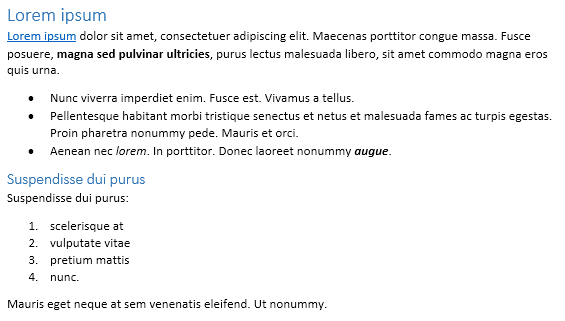
The following Microsoft Word document is used as input document:
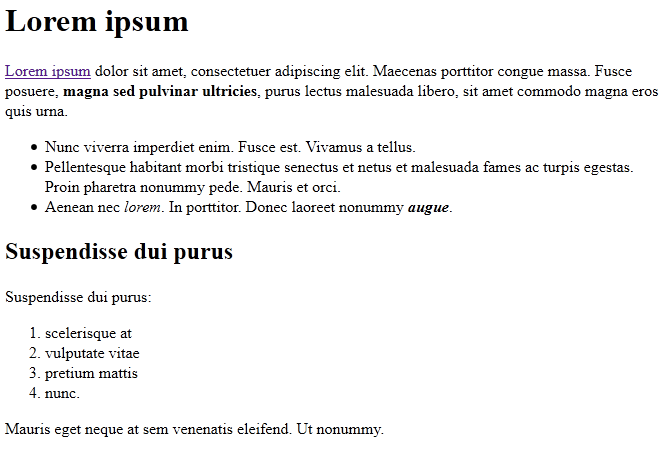
The following Markdown document is extracted using the example above:
Along with the full-featured library we provide simple but powerful free apps.
You are welcome to extract data from PDF, DOC, DOCX, PPT, PPTX, XLS, XLSX, Emails and more with our Free Online Document Parser App.
Was this page helpful?
Any additional feedback you'd like to share with us?
Please tell us how we can improve this page.
Thank you for your feedback!
We value your opinion. Your feedback will help us improve our documentation.


