Disable image comparison in PDF documents Leave feedback
On this page
GroupDocs.Comparison allows you to disable image comparison in PDF documents.
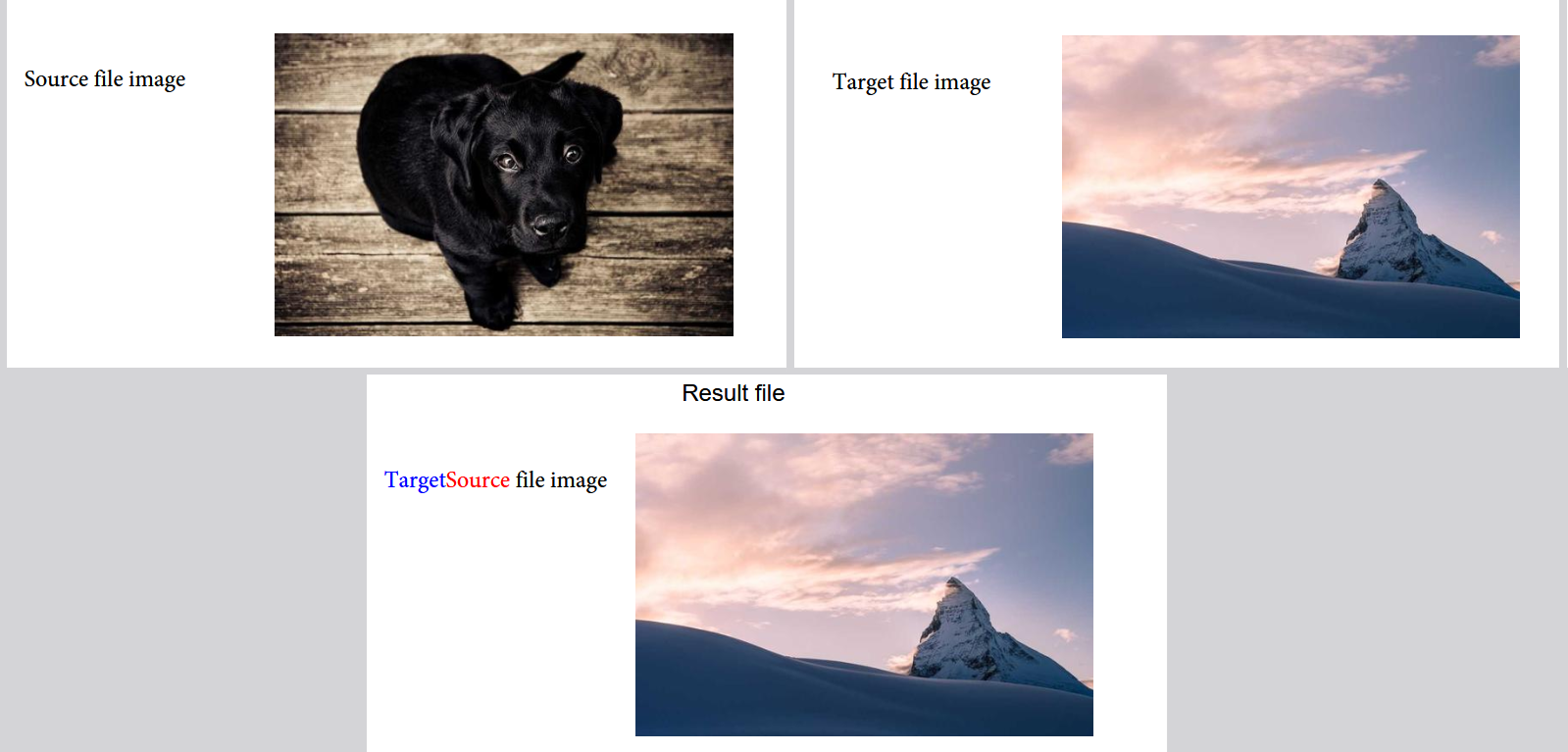
By default, the CompareImagesPdf option is true. Follow these steps to turn off image comparison:
- Instantiate the Comparer object. Specify the source file path or stream.
- Call the add() method. Specify the target file path or stream.
- Instantiate the PdfCompareOptions object. Call
setCompareImagesPdf(false). - Call
setImagesInheritanceMode()withImagesInheritance.SOURCEorImagesInheritance.TARGETto choose which document the images in the result are taken from. The default isSOURCE. - Call the compare() method. Specify the
PdfCompareOptionsobject from the previous steps.
The following code snippet shows how to disable image comparison in PDF documents:
import com.groupdocs.comparison.Comparer;
import com.groupdocs.comparison.options.PdfCompareOptions;
import com.groupdocs.comparison.options.enums.ImagesInheritance;
// ...

try (Comparer comparer = new Comparer("source.pdf")) {
    comparer.add("target.pdf");

    PdfCompareOptions compareOptions = new PdfCompareOptions();
    compareOptions.setCompareImagesPdf(false);
    compareOptions.setImagesInheritanceMode(ImagesInheritance.TARGET);

    comparer.compare("result.pdf", compareOptions);
}
The result is as follows:
NoteCompareOptions.setCompareImagesPdf()andCompareOptions.setImagesInheritanceMode()are still available for backward compatibility, but they are deprecated. UsePdfCompareOptionsin new code.
Was this page helpful?
Any additional feedback you'd like to share with us?
Please tell us how we can improve this page.
Thank you for your feedback!
We value your opinion. Your feedback will help us improve our documentation.


